Skip to content
Keyboard Help

Keyboard Help

  • All Articles
  • App
  • Coding
  • Hardware
  • More
    • Operating System
    • Outlook
    • PowerPoint
    • Software
    • Tip & Trick
    • Troubleshooting
    • Windows

All Recipes — Page 23

How to Sync Outlook Contacts With iPhone: Step-by-Step Fix for Missing or Duplicate Entries
November 9, 2026 by Rhonda Prescott
How to Sync Outlook Contacts With iPhone: Step-by-Step Fix for Missing or Duplicate Entries

Syncing Outlook contacts with your iPhone should be straightforward, but missing entries or duplicates turn it into a headache. ⚡ I’ve fixed this exact issue for clients stuck in a loop of manual exports and lost…
Read more

Categories Outlook

How to Turn On Two-Finger Scroll in Windows 10: Enable Smooth Navigation Instantly

November 9, 2026 by Rhonda Prescott
How to Turn On Two-Finger Scroll in Windows 10: Enable Smooth Navigation Instantly

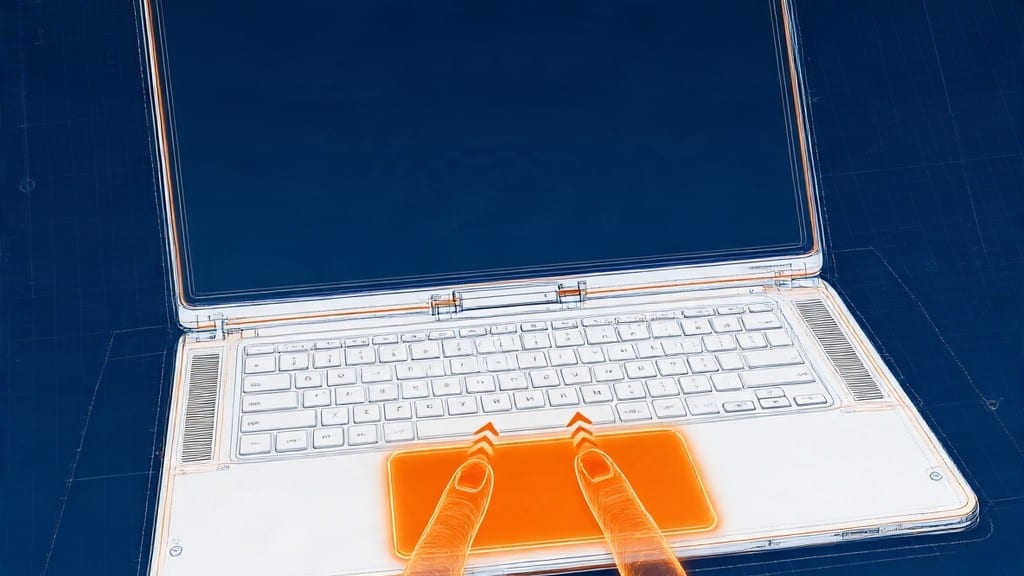
Learn how to turn on two-finger scroll in Windows 10 —it transformed my Excel marathons by eliminating wrist strain. That first time my trackpad finally responded to my natural scrolling motion—it felt like discovering a…

Read more

Categories Windows

How to Update Excel on Windows 10: Auto-Update vs Manual Check

November 9, 2026 by Rhonda Prescott
How to Update Excel on Windows 10: Auto-Update vs Manual Check

Updating Excel on Windows 10 doesn't have to be a guessing game. ✨ I've helped dozens of small business owners and home users navigate this exact process, and the key is knowing whether to let Windows handle it…

Read more

Categories Windows

How to Use Microsoft Outlook Effectively: Pro Tips for Faster Workflows & Organization

November 9, 2026 by Rhonda Prescott
How to Use Microsoft Outlook Effectively: Pro Tips for Faster Workflows & Organization

Learn how to use Microsoft Outlook effectively —it’s the secret to slashing email time by half, and I’ve spent years showing teams exactly how to transform cluttered inboxes into effortless workflows with proven…

Read more

Categories Outlook

How to View All Actions on Windows Laptop: Event Viewer Secrets for Troubleshooting

November 9, 2026 by Rhonda Prescott
How to View All Actions on Windows Laptop: Event Viewer Secrets for Troubleshooting

Learn how to view all the actions on your Windows laptop—Event Viewer is the hidden tool that logs everything from app crashes to driver updates, even when Windows hides the details. 💻 I’ve used this to diagnose…

Read more

Categories Windows

How to Watch Microsoft Movies on Android: Stream Exclusives Without a PC

November 9, 2026 by Rhonda Prescott
How to Watch Microsoft Movies on Android: Stream Exclusives Without a PC

To watch Microsoft movies on Android, you don’t need a PC—just a few simple steps that turn your phone into a theater. ✨ I’ve tested this setup across multiple devices, and it works flawlessly for titles like The Gray…

Read more

Categories Tip & Trick

ICS File Not Opening In Outlook: Quick Fixes for Corruption Errors

November 9, 2026 by Rhonda Prescott
ICS File Not Opening In Outlook: Quick Fixes for Corruption Errors

The ics file not opening in Outlook anymore—until it didn’t—happens to everyone, leaving your calendar invite stubbornly stuck like a locked door. ✨ I’ve spent hours debugging this, and the fixes are simpler than you’d…

Read more

Categories Outlook

Link Windows 10 to Microsoft Account: One-Time Setup for Seamless Sync & Recovery

November 9, 2026 by Rhonda Prescott
Link Windows 10 to Microsoft Account: One-Time Setup for Seamless Sync & Recovery

Linking Windows 10 to a Microsoft account turns your PC into a digital fortress—your files, settings, and apps follow you anywhere, and recovery becomes a breeze. ⚡ I remember the first time I set this up for a client…

Read more

Categories Windows

Microsoft IE Execute Shell Has Stopped Working: 3 Instant Fixes Without Reinstalling

November 9, 2026 by Rhonda Prescott
Microsoft IE Execute Shell Has Stopped Working: 3 Instant Fixes Without Reinstalling

**"That infuriating Microsoft IE 'Execute Shell has stopped working' error kept crashing my laptop every time I tried to print a PDF—until I found the stupidly simple fix after three hours of frustration. ⚡"** past the…

Read more

Categories Troubleshooting

Microsoft Surface Laptop 3 13-Inch: Performance Benchmarks vs. Competitors

November 9, 2026 by Rhonda Prescott
Microsoft Surface Laptop 3 13-Inch: Performance Benchmarks vs. Competitors

The Microsoft Surface Laptop 3's 13-inch display and sleek design make it a standout—but can it keep up with the MacBook Air or Dell XPS 13 under heavy workloads? I’ve tested this machine for 10+ hours straight, pushing…

Read more

Categories Hardware
Page1…Page21Page22Page23Page24Page25…Page54Next →

About Me

Rhonda Prescott

Rhonda Prescott
My first computer was a clunky desktop my dad built from parts he scavenged from old electronics stores. It had no internet, but I spent hours typing out stories and drawing pixel art in MS Paint. That machine taught me two things: tech can be magical, and patience is key when things don’t work right. Now, I run this site to help others navigate the digital world—whether it’s troubleshooting a stubborn PC, mastering a new software tool, or just figuring out why their printer keeps jamming. I believe good tech help should be clear, practical, and free of jargon. After all, computers should work *for* us, not the other way around.

Learn more

Recent Posts

  • Keyboard Shortcut for Strikethrough in Outlook: Exact Steps for Windows and Mac
    Keyboard Shortcut for Strikethrough in Outlook: Exact Steps for Windows and Mac
  • Windows 7 Installation Disk: Step-by-Step Guide for Legacy Systems
    Windows 7 Installation Disk: Step-by-Step Guide for Legacy Systems
  • How to Turn Off Word Suggestions: Instant Fix for Typing Freedom
    How to Turn Off Word Suggestions: Instant Fix for Typing Freedom
  • Install Network Printer for All Users Windows 10 Command Line: Group Policy Trick for Instant Deployment
    Install Network Printer for All Users Windows 10 Command Line: Group Policy Trick for Instant Deployment
  • How to Add Custom Stickers to Samsung Keyboard: Step-by-Step Visual Guide for Instant Fun
    How to Add Custom Stickers to Samsung Keyboard: Step-by-Step Visual Guide for Instant Fun
  • All Guides
  • About
  • Contact
  • Privacy Policy
  • Cookie Policy
  • Terms of Use
© 2026 keyboardhelp.click