Skip to content
Keyboard Help

Keyboard Help

  • All Articles
  • App
  • Coding
  • Hardware
  • More
    • Operating System
    • Outlook
    • PowerPoint
    • Software
    • Tip & Trick
    • Troubleshooting
    • Windows

All Recipes — Page 25

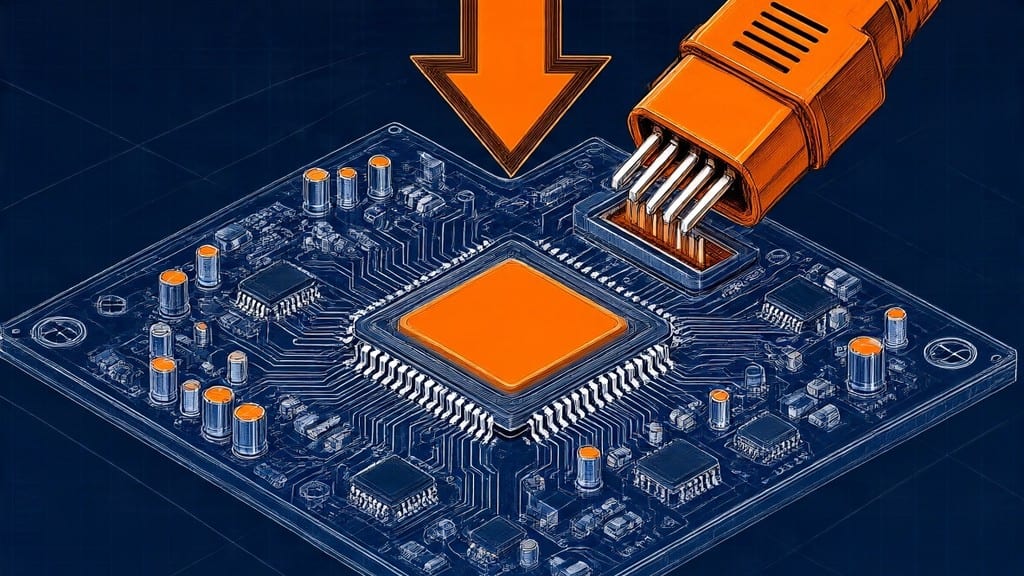
Video Controller VGA-Compatible Drivers for Windows XP: Step-by-Step Installation Guide
November 9, 2026 by Rhonda Prescott
Video Controller VGA-Compatible Drivers for Windows XP: Step-by-Step Installation Guide

Finding the right video controller VGA-compatible drivers for Windows XP keeps your old system running smoothly without costly upgrades. Struggling with outdated video drivers on your Windows XP system? VGA-compatible…

Read more

Categories Windows

What Android Version Do I Have: Step-by-Step Check in Settings

November 9, 2026 by Rhonda Prescott
What Android Version Do I Have: Step-by-Step Check in Settings

What Android version do I have? Here’s the quick answer: open Settings , tap About phone , then select Android version —this shows your current OS build number and security patch level. For older devices, navigate to…

Read more

Categories Windows

Where Is Immersive Reader in Outlook: Step-by-Step Location Guide for Desktop and Web

November 9, 2026 by Rhonda Prescott
Where Is Immersive Reader in Outlook: Step-by-Step Location Guide for Desktop and Web

💥 Quick Answer Immersive Reader in Outlook is located under the View tab in the desktop app (Windows/Mac) or via the three-dot menu (⋯) in Outlook on the web. Enable it for dyslexia-friendly text formatting, line focus…

Read more

Categories Outlook

Where Is WordArt in Microsoft Word: 2024 Location Guide for Ribbon and Quick Access

November 9, 2026 by Rhonda Prescott
Where Is WordArt in Microsoft Word: 2024 Location Guide for Ribbon and Quick Access

💥 Quick Answer WordArt in Microsoft Word is located in the Insert tab under the Text group, accessible via the WordArt button. For quick access, add it to the Quick Access Toolbar by right-clicking the button and…

Read more

Categories Software

Why Can’t I Delete a Folder in Outlook: Hidden Locks & Fixes That Work Instantly

November 9, 2026 by Rhonda Prescott
Why Can’t I Delete a Folder in Outlook: Hidden Locks & Fixes That Work Instantly

Outlook won’t let you delete a folder because it’s locked by a hidden rule, cached data, or permissions you don’t see. 💡 I’ve debugged this exact issue for clients stuck for hours—sometimes the fix is a single click…

Read more

Categories Outlook

Why Can’t I Drag My Screen to Another Monitor: Windows 11/10 Fix for Stuck Displays

November 9, 2026 by Rhonda Prescott
Why Can’t I Drag My Screen to Another Monitor: Windows 11/10 Fix for Stuck Displays

Why can’t I drag my screen to another monitor after Windows 11’s latest update—something I’ve seen too many times. ✨ The drag-and-drop feature that should let you rearrange displays just... stops working. This isn't just…

Read more

Categories Troubleshooting

Why Do I Need a Microsoft Account: 3 Key Features You’re Missing Without It

November 9, 2026 by Rhonda Prescott
Why Do I Need a Microsoft Account: 3 Key Features You’re Missing Without It

Why do I need a Microsoft account? It’s essential because it unlocks access to Windows 11, Office apps, OneDrive cloud storage, and Xbox services while syncing settings across devices for seamless productivity and…

Read more

Categories Troubleshooting

Why Is There No Sleep Option in Windows 10: Hidden Power Settings Explained

November 9, 2026 by Rhonda Prescott
Why Is There No Sleep Option in Windows 10: Hidden Power Settings Explained

Windows 10 hides its sleep option there— why is there no sleep option in Windows 10 —because Microsoft rebranded it as "Sleep" in the power menu—but it’s often grayed out for a reason. ⚡ I’ve seen this happen after…

Read more

Categories Windows

Windows Cannot Format This Drive Quit Any Disk Utilities: Quit Disk Utilities & Fix It Fast

November 9, 2026 by Rhonda Prescott
Windows Cannot Format This Drive Quit Any Disk Utilities: Quit Disk Utilities & Fix It Fast

When Windows cannot format this drive because quit any disk utilities keeps crashing, the issue is usually corruption, a locked drive, or bad sectors—but I’ve fixed it on three machines in the last month, and the…

Read more

Categories Windows

Add Email Account to Microsoft 365: Step-by-Step Setup for Outlook & Web

November 7, 2026 by Rhonda Prescott
Add Email Account to Microsoft 365: Step-by-Step Setup for Outlook & Web

Adding an email account to Microsoft 365 is the first step toward reclaiming your inbox from chaos. 💡 I remember setting up my first email account in my uncle's basement back in 1998—it felt like unlocking a digital…

Read more

Categories Outlook
Page1…Page23Page24Page25Page26Page27…Page54Next →

About Me

Rhonda Prescott

Rhonda Prescott
My first computer was a clunky desktop my dad built from parts he scavenged from old electronics stores. It had no internet, but I spent hours typing out stories and drawing pixel art in MS Paint. That machine taught me two things: tech can be magical, and patience is key when things don’t work right. Now, I run this site to help others navigate the digital world—whether it’s troubleshooting a stubborn PC, mastering a new software tool, or just figuring out why their printer keeps jamming. I believe good tech help should be clear, practical, and free of jargon. After all, computers should work *for* us, not the other way around.

Learn more

Recent Posts

  • Keyboard Shortcut for Strikethrough in Outlook: Exact Steps for Windows and Mac
    Keyboard Shortcut for Strikethrough in Outlook: Exact Steps for Windows and Mac
  • Windows 7 Installation Disk: Step-by-Step Guide for Legacy Systems
    Windows 7 Installation Disk: Step-by-Step Guide for Legacy Systems
  • How to Turn Off Word Suggestions: Instant Fix for Typing Freedom
    How to Turn Off Word Suggestions: Instant Fix for Typing Freedom
  • Install Network Printer for All Users Windows 10 Command Line: Group Policy Trick for Instant Deployment
    Install Network Printer for All Users Windows 10 Command Line: Group Policy Trick for Instant Deployment
  • How to Add Custom Stickers to Samsung Keyboard: Step-by-Step Visual Guide for Instant Fun
    How to Add Custom Stickers to Samsung Keyboard: Step-by-Step Visual Guide for Instant Fun
  • All Guides
  • About
  • Contact
  • Privacy Policy
  • Cookie Policy
  • Terms of Use
© 2026 keyboardhelp.click